For commercial and multifamily general contractors
Every dollar traces back to the drawing it came from.
Takeoff, estimates, budgets, subcontracts, change orders and pay applications in one system for general contractors. Click any amount to see where it came from, down to the area on the drawing.
The demo runs in your browser on a sample job. Nothing to install, no sign-up.
Today, the same number gets typed again at every step.
A quantity leaves the takeoff tool and gets re-keyed into the estimate, the budget, the subcontract and the pay application. Each re-key is a chance for a mistake.
| Step | Today | In BuilderSite |
|---|---|---|
| Takeoff to estimate | Export the takeoff to a spreadsheet and copy the quantities into the estimate. | The confirmed quantity goes onto the estimate line. Nobody types it. |
| Estimate to budget | Re-key the won bid into the project tool, cost code by cost code. | Award the estimate. The budget is built from it, one line per cost code. |
| Budget to subcontract | Write the subcontract in Word and enter the amount again. | Write the subcontract against the budget line. Committed cost updates when you issue it. |
| Change order | Update the contract, the budget and the schedule of values by hand, in three places. | Approve the change order once. Contract sum, budget and schedule of values update together. |
| Pay application | Build it in a spreadsheet from last month's copy. | It starts from the schedule of values and last month's certified amounts. Retainage is figured from your contract terms. |
| Drawing revision | Remember which quantities came from the old sheet. | Link the new sheet. Every estimate line measured on the old one is flagged. |
One job, from the plans to the pay application.
Eight steps on a sample job. Each one picks up the numbers from the step before it.
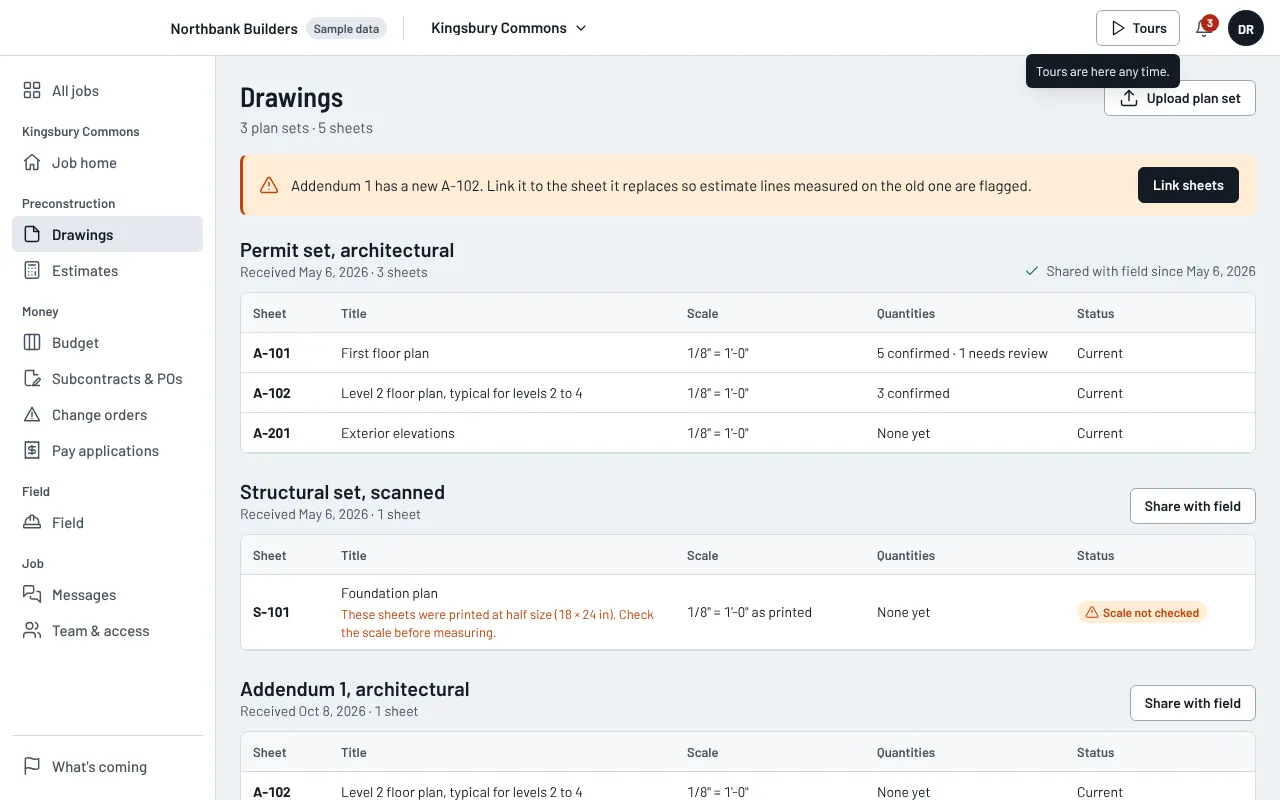
Step 1 of 8
Plans
Upload the plan set. When an addendum replaces a sheet, link the new sheet and every line measured on the old one is flagged.
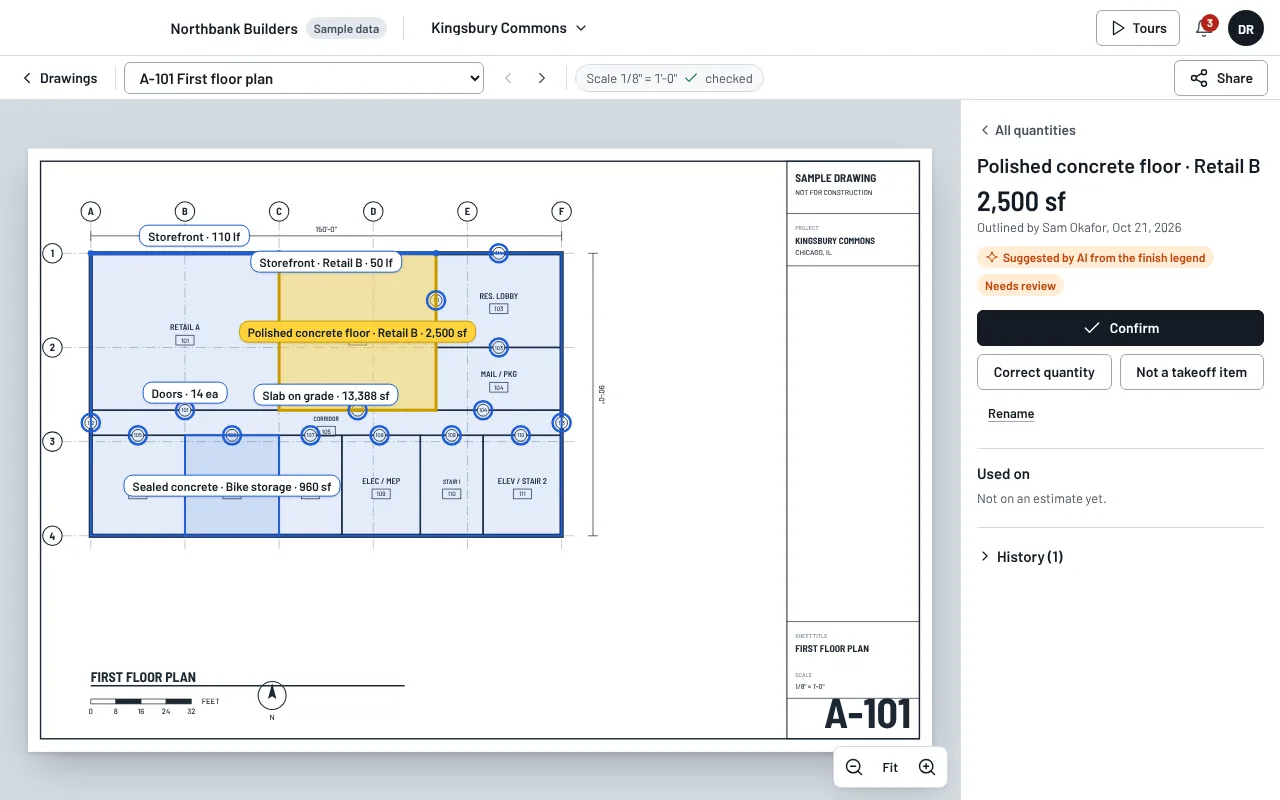
Step 2 of 8
Measure
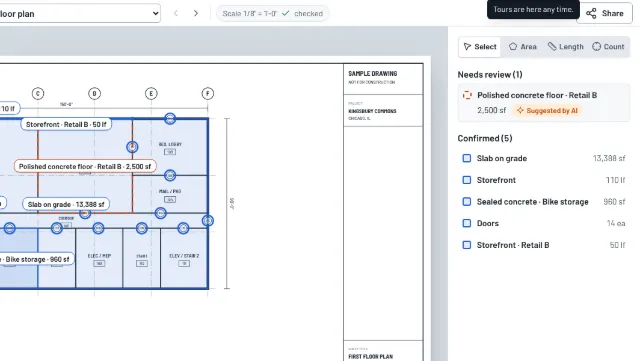
Measure area, length and count right on the sheet. A person confirms every quantity before it can be priced.
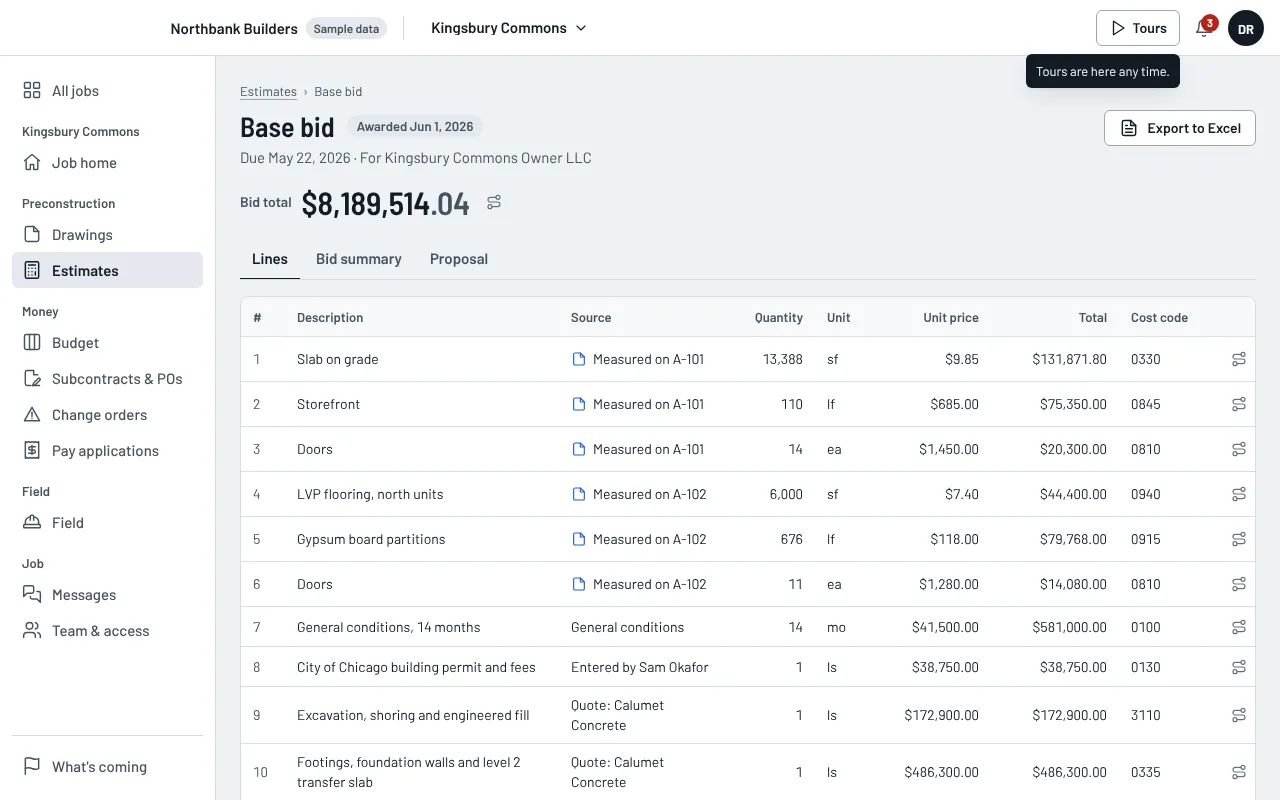
Step 3 of 8
Price
Price the lines. Each one shows where its quantity came from: a sheet, a sub's quote or an amount entered by hand.
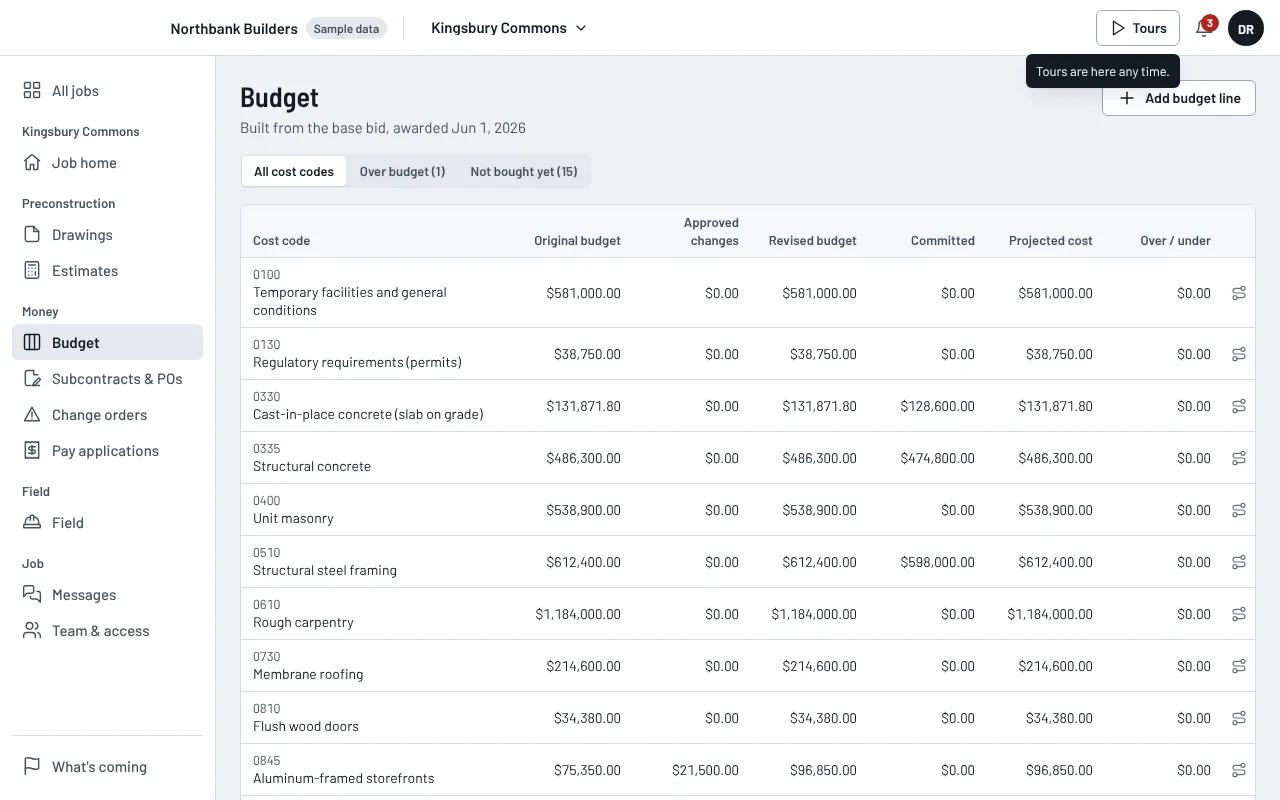
Step 4 of 8
Award and budget
Award the bid and the budget is built from it, one line per cost code. Nobody re-types it.
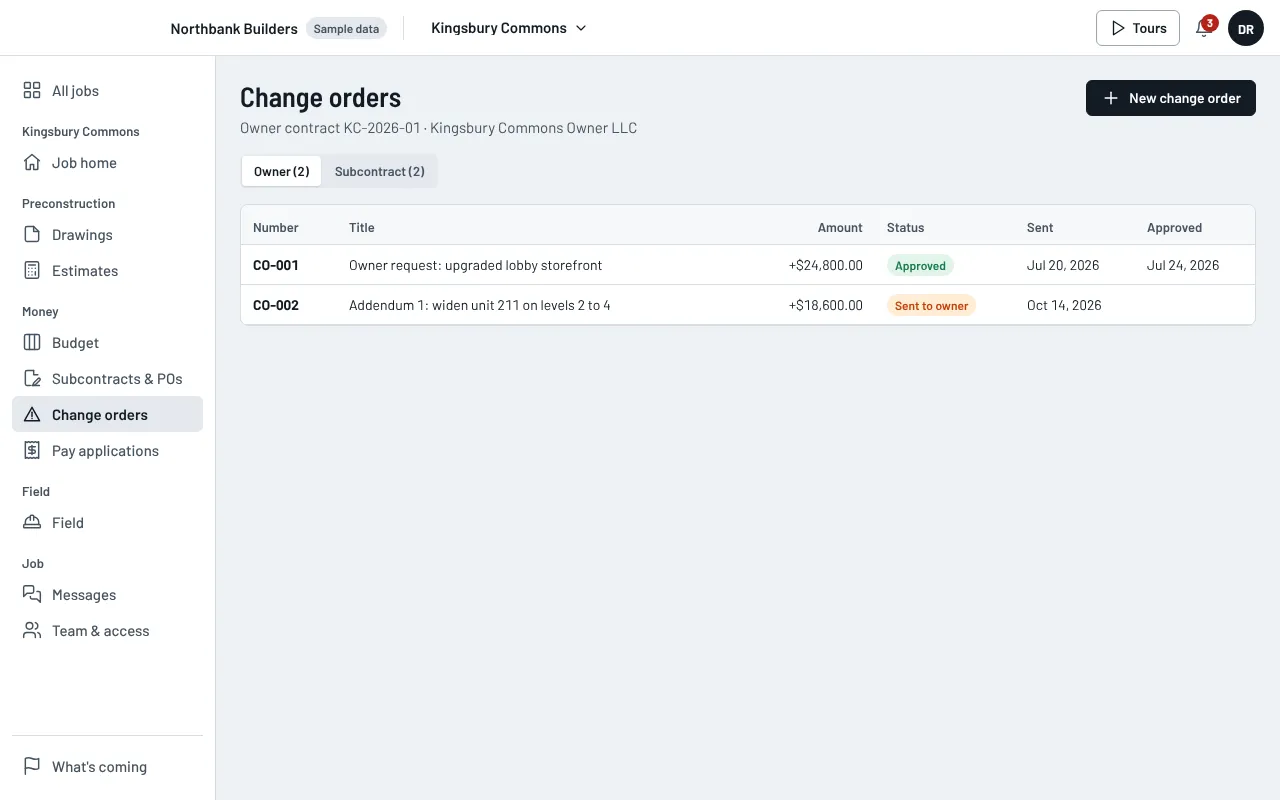
Step 5 of 8
Change orders
Approve a change order once. The contract sum, the budget and the schedule of values change together.
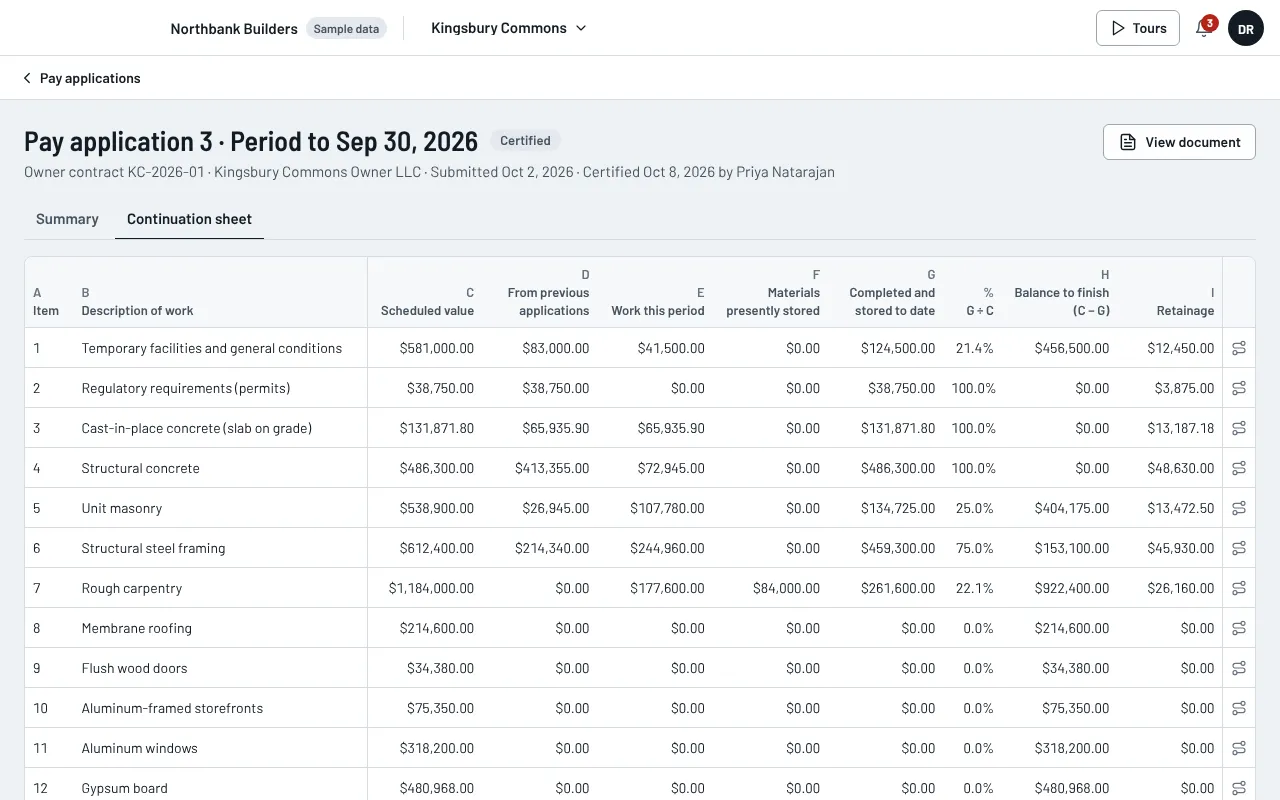
Step 6 of 8
Pay application
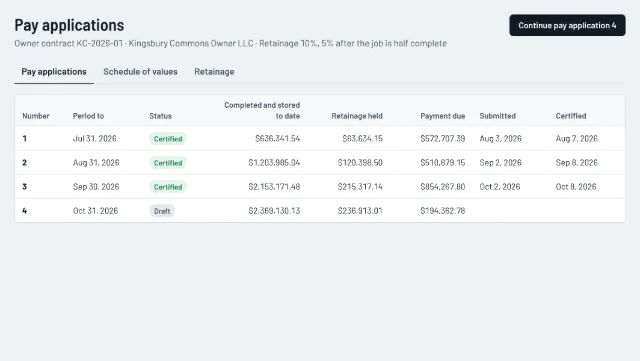
The continuation sheet starts from the schedule of values and last month's certified amounts. Retainage follows your contract terms.
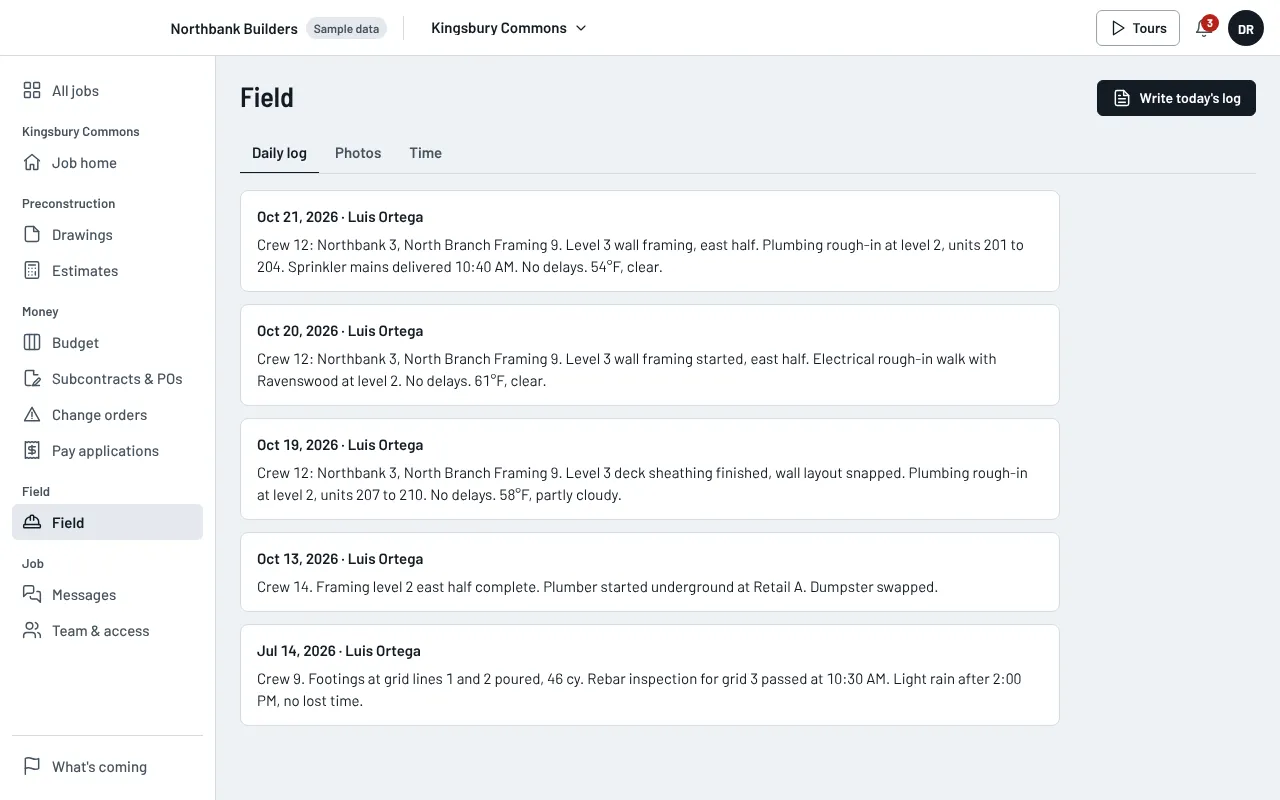
Step 7 of 8
Field
Daily logs, photos and time from the site, filed under the job they belong to.
Step 8 of 8
Trace a dollar
Click any amount to see where it came from, down to the area measured on the drawing.
Click a number. See where it came from.
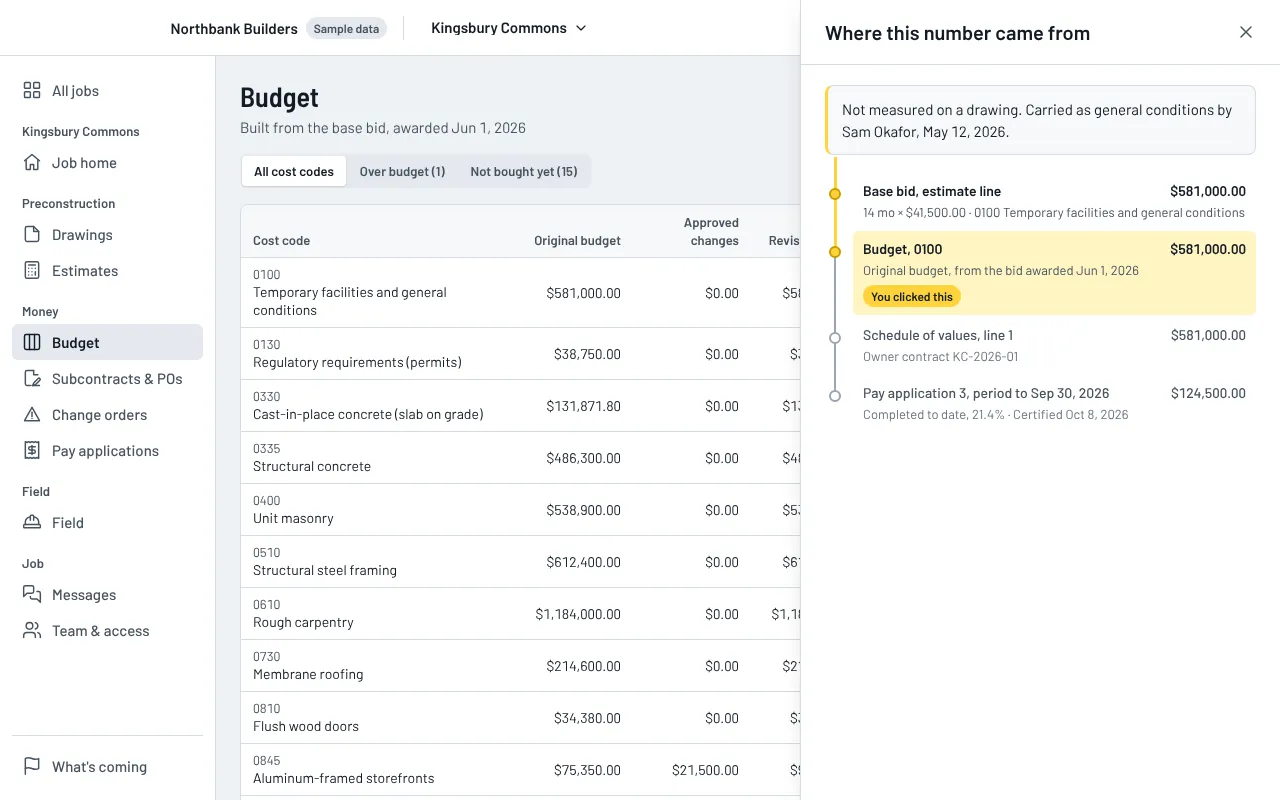
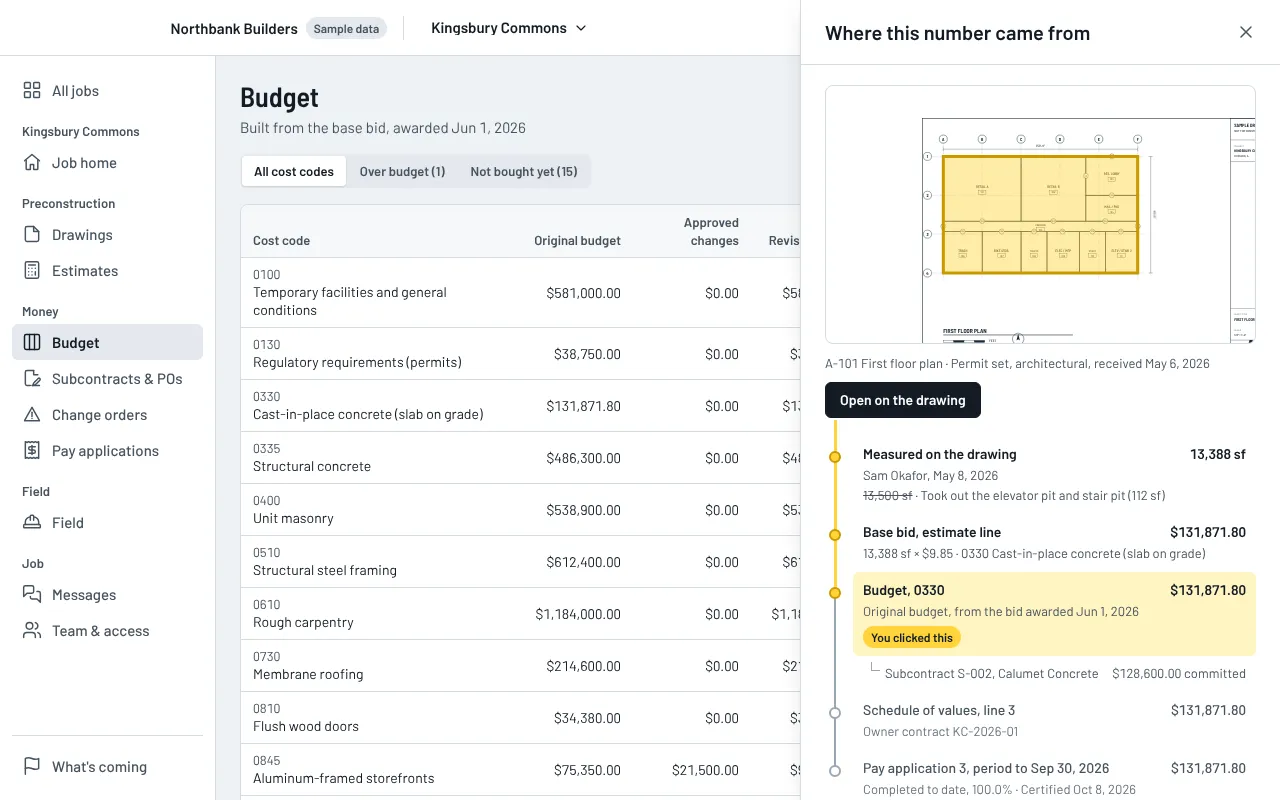
Follow the slab on grade from pay application 3 back to the area measured on sheet A-101. The earlier quantity is still shown, crossed out, with who changed it and why.
Where this number came from
- Measured on the drawing13,388 sfSam Okafor, May 8, 2026
13,500 sf13,388 sf · Sam Okafor took out the elevator pit and stair pit (112 sf), May 8, 2026 - Base bid, estimate line$131,871.8013,388 sf × $9.85 · 0330 Cast-in-place concrete (slab on grade)
- Budget, 0330$131,871.80Original budget, from the bid awarded Jun 1, 2026Subcontract S-002, Calumet Concrete$128,600.00 committed
- Schedule of values, line 3$131,871.80Owner contract KC-2026-01
- Pay application 3, period to Sep 30, 2026$131,871.80Work complete · Certified Oct 8, 2026You clicked this
Built for the people who run the job.
Four short tours on a sample job. About two minutes each.
-
Owner
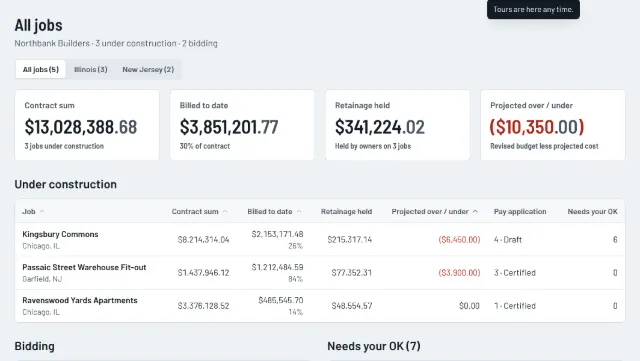
See every job on one screen
- Contract, billed, retainage and projected cost for every job on one page.
- Approve change orders with the money effect shown first.
- Trace any line back to its source.
-
Estimator
From drawing to bid
- Measure area, length and count on the sheet.
- A person confirms every quantity before it can be priced.
- Bid summary, markups and a proposal letter from the same lines.
-
Project manager
From budget to pay application
- A budget built from the won bid, by cost code.
- Subcontracts, POs and change orders that update the budget.
- Pay applications with retainage figured from your contract.
-
Superintendent
Photos, daily log and time
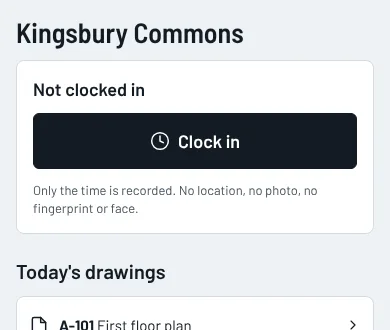
- Clock in from a phone. No location, no photo, no fingerprint.
- Photos and daily logs go straight to the job.
- Crews see only the drawings you share with them.


What launches when.
The founding release comes first. Everything after it is in development, and we do not put dates on work that is not finished.
November 2026: the founding release
- Drawings, takeoff and estimates, with bid summary and proposal
- Bid list and follow-up reminders for every bid you chase
- Budget, subcontracts and POs, change orders
- Pay applications with retainage, bills and lien waivers
- Schedule, tasks and punch list, RFIs
- Daily logs, photos and the crew time clock
- Trace any amount back to its source
- Export all of your data, any time
In development
- Supplier quote requests you approve before they go out
- Live QuickBooks Online connection
- Online payments and e-signature
- Submittals and warranty claims
- A sub portal for bills and subcontracts
- Phone app for iPhone and Android
The founding price.
One price per company, for the first 15 companies. Priced below what the separate tools cost today.
Founding company
$1,000 a month
Month to month
- Held for 24 months while you stay
- Up to 30 active projects
- No per-user charge
- No setup fee
- Billing starts when your account goes live, not when you sign.
- Everyone in your company can log in at no extra cost.
- Open to the first 15 companies only.
Get founding access.
Tell us about your company. We will contact you by hand to set up a call.
- We reply by hand. No automatic emails.
- We only ask what we need to call you back.
- We never sell your details.